Automate your SolidWorks documentation work.
Every new project means the same routine: filling in part properties by hand, rebuilding drawings that barely changed, re-exporting files, and remembering to bump the revision. FLARYA Tools plugs into SolidWorks and runs that entire routine for you — properties, drawings, exports and revisions — automatically, so your engineers spend their day designing instead of repeating themselves.
WHY FLARYA TOOLS
Change one dimension, and the ripple effect hits everything: properties need updating, the drawing needs rebuilding, the BOM needs checking, and somewhere a spreadsheet needs a new line saying what changed and when. Multiply that by every project your team ships, and it's easy to see where the hours go. FLARYA Tools sits inside SolidWorks and absorbs that ripple effect automatically — properties, drawings and revision history stay in sync with your model, without anyone touching a spreadsheet.
Tracks revisions automatically — no PDM required
Most automation tools stop at generating drawings. FLARYAtools also watches for real design changes — feature count, mass, dimensions — and logs a new revision on its own, so you always know what changed and when, without setting up or paying for a separate PDM system.
Works on the whole assembly, not just one file
Point it at an assembly and it walks every part and sub-assembly inside automatically — no need to open each file one by one. Most tools work file-by-file or need a manual batch selection; FLARYAtools does the traversal for you.
One tool, the whole workflow
Properties, drawings, exports, and revisions — in most setups that's three or four separate tools stitched together. FLARYAtools covers all of it from one add-in, so there's one license, one interface, one thing to learn.
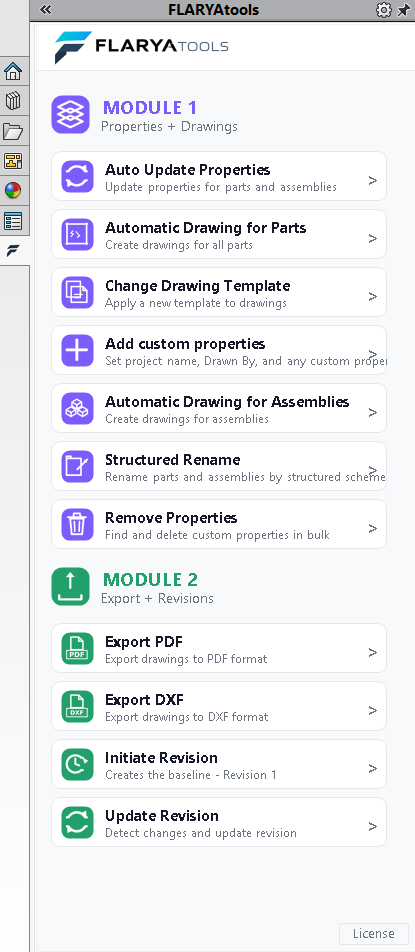
Module 1 — Properties + Drawings
This is the foundation everything else builds on. FLARYA Tools reads directly from your 3D model — material, dimensions, geometry — and uses that to fill in part properties, generate a finished drawing, and apply your naming convention, consistently, on every part and assembly you create. No copy-paste between files, no properties left blank, no drawings started from a blank sheet.
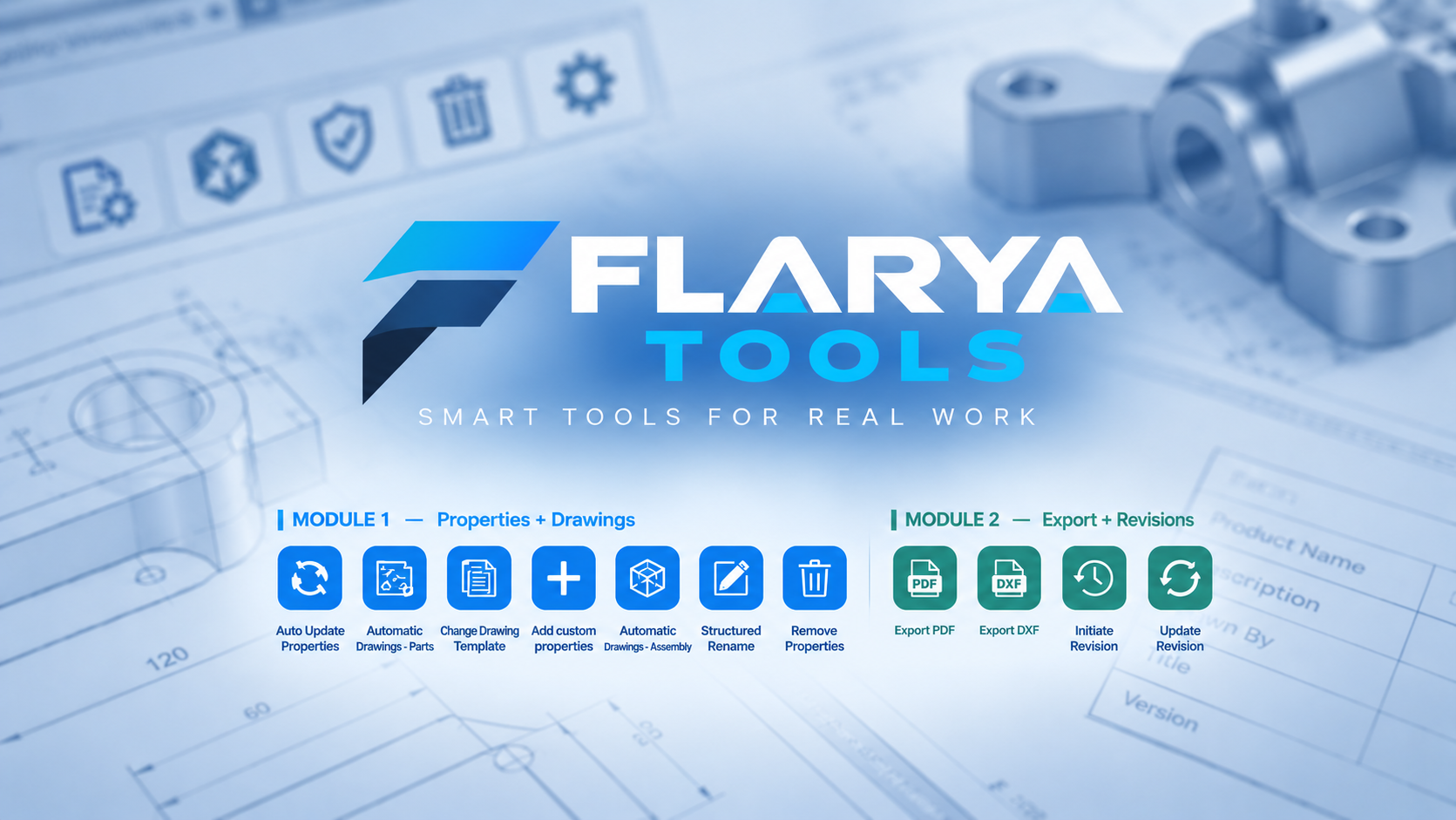

Auto Update Properties
A built-in DFM engine writes Material, Execution/DFM decision, and Length/Width/Height directly into your part properties.
Change Drawing Template
Swap a part or assembly's drawing template in one click, without rebuilding the drawing from scratch.
Automatic Drawing for Parts
Generates a finished part drawing automatically from the 3D model.
The dimensions that are marked for drawing are also imported into the drawings
Automatic Drawing for Assemblies
Generates a finished assembly drawing automatically, keeping the BOM and views in sync.

Add Custom Properties
Writes project name, Drawn By, and any custom property you define across parts, assemblies and drawings in bulk.
Structured Rename
Renames parts and assemblies by a structured naming scheme and repackages the project with Pack & Go.

Remove Properties
Finds and bulk-deletes custom properties across a project when your property scheme changes.
Module 2 — Export + Revisions
Exporting a finished part shouldn't mean opening a menu, picking a format, naming the file, and doing it again for the next sheet. And tracking revisions shouldn't mean remembering to write down what changed. Module 2 uses the properties Module 1 already captured to export PDFs and true 1:1 DXFs in one click, and to detect real design changes — feature count, mass, dimensions — and log a new revision automatically, without a PDM system. It's built on top of Module 1, so it's included only in the Bundle. Run it from the main assembly and it exports and revisions every part inside automatically — no need to open each one.
Export PDF
One-click PDF export for drawings, ready to send or archive.
Export DXF
Native 1:1 flat pattern export to DXF for every sheet metal part in an assembly.

Initiate Revision
Creates a baseline Revision 1 for a part or assembly the moment it's ready.

Update Revision
Detects real design changes — feature count, mass, center of gravity — and updates the revision automatically. No PDM required.
Get started in minutes
No account needed. Install the add-in and FLARYA Tools is ready to work inside SolidWorks.
Install
Download and install the FLARYA Tools add-in for SolidWorks 2023 and newer.
Activate your license
Licensing is machine-fingerprint based. Your 15-day free trial activates automatically on first run — no credit card, no account signup.
Start automating
Open a part or assembly and let FLARYA Tools handle properties, drawings, exports and revisions from inside SolidWorks.
Start your 15-day free trial
Install it and try it on a real project — not a demo file. No credit card, no sales call, no commitment. Your 15-day trial activates automatically the moment you open SolidWorks, and if it's not for you, it simply expires — nothing to cancel.
See plans & pricing